
AWS Certified Security Specialty · Free Practice Question Medium
Question 12
A security specialist with administrator permissions is using the AWS management console to access the CloudWatch logs for a Lambda function named "myFunc". However, upon choosing the option to view the logs in the AWS Lambda console, the specialist encountered an error message reading "error loading Log Streams". The specialist was unable to retrieve the logs as desired and must now find a solution to this issue.
Following is an example IAM policy for the Lambda function's execution role:
{
    "Version": "2012-10-17",
    "Statement": [
        {
            "Effect": "Allow",
            "Action": "logs:CreateLogGroup",
            "Resource": "arn:aws:logs:<region>:<accountId>:*"
        },
        {
            "Effect": "Allow",
            "Action": [
                "logs:PutLogEvents"
            ],
            "Resource": [
                "arn:aws:logs:<region>:<accountId>:log-group:/aws/lambda/myFunc:*"
            ]
        }
    ]
}
Which of the following solutions would you suggest to the specialist for addressing the issue?
-
A
Move the logs:CreateLogGroup action to the second Allow statement
-
B
Add the logs:GetLogEvents action to the second Allow statement
-
C
Add the logs:DescribeLogStreams action to the second Allow statement
-
D
Add the logs:CreateLogStream action to the second Allow statement
Reveal correct answer
Correct answer: D
Explanation
Correct option:
Add the logs:CreateLogStream action to the second Allow statement
A log stream is a sequence of log events that share the same source. Each separate source of logs in CloudWatch Logs makes up a separate log stream.
A log group is a group of log streams that share the same retention, monitoring, and access control settings. You can define log groups and specify which streams to put into each group. There is no limit on the number of log streams that can belong to one log group.
CreateLogStream creates a log stream for the specified log group.
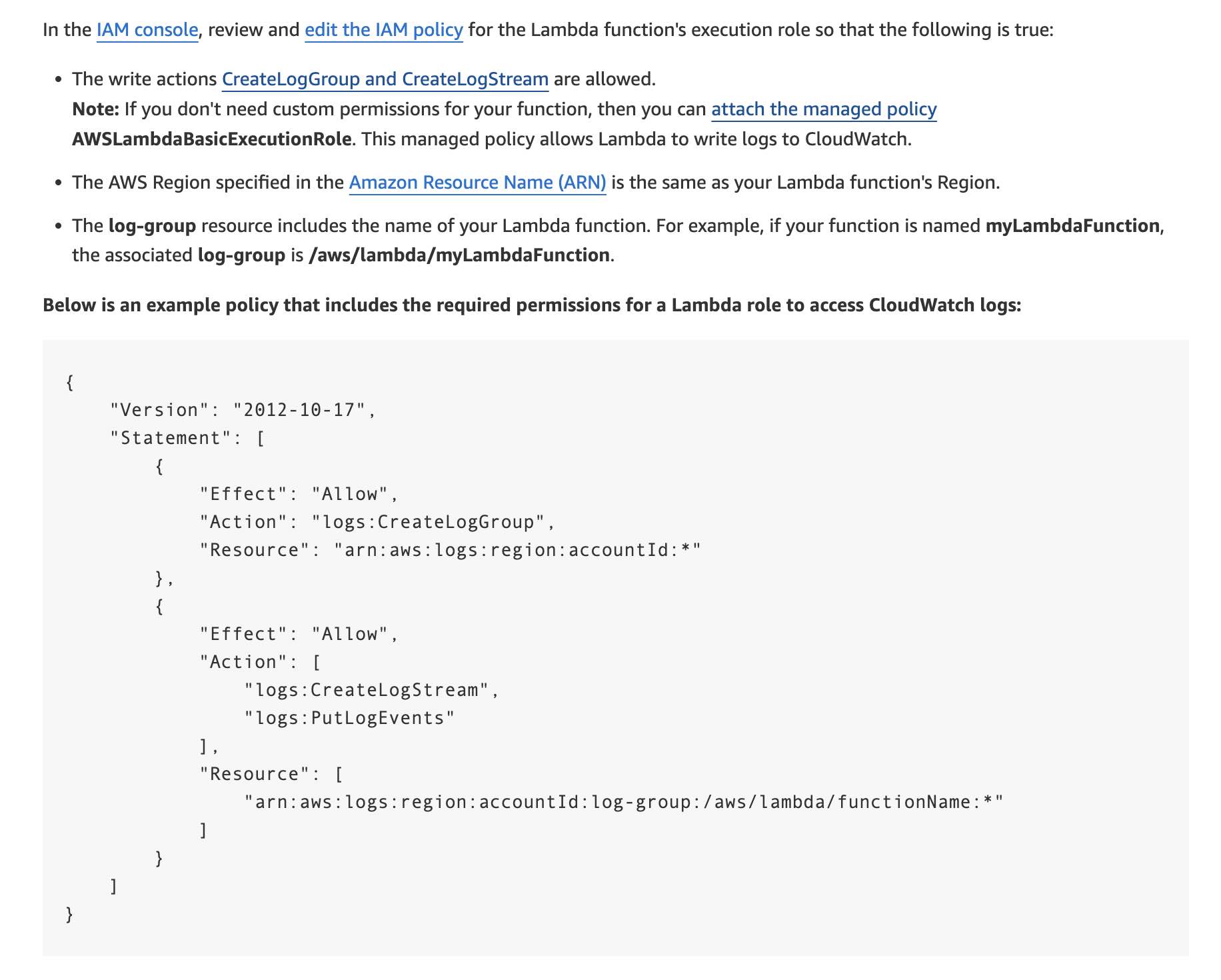
For the given use case, you must ensure that the write actions CreateLogGroup and CreateLogStream are allowed.
Incorrect options:
Since the security specialist already has administrator privileges as an IAM user, so there is no lack of permissions that's causing the error while the specialist is trying to "view" the logs.
The root cause of the issue is that the Lambda function itself needs the CreateLogStream permission to be able to create the log stream and thereby successfully write the logs into CloudWatch Logs.
Add the logs:GetLogEvents action to the second Allow statement
Add the logs:DescribeLogStreams action to the second Allow statement
The GetLogEvents and DescribeLogStreams are both "read" type of permissions which are not needed for the Lambda to successfully write the logs. Hence, both these options are incorrect.
Move the logs:CreateLogGroup action to the second Allow statement - This option is a distractor. The CreateLogGroup action needs to be in the first Allow statement only.
References:
https://docs.aws.amazon.com/AmazonCloudWatch/latest/logs/Working-with-log-groups-and-streams.html
https://docs.aws.amazon.com/AmazonCloudWatch/latest/logs/permissions-reference-cwl.html
https://aws.amazon.com/premiumsupport/knowledge-center/lambda-cloudwatch-log-streams-error/
Discussion
Think the marked answer is wrong, or have a better explanation? Share it below — comments appear after review.

