
AWS Certified Data Engineer Associate · Free Practice Question Medium
Question 48
A data engineering team wants to orchestrate multiple Amazon ECS task types running on Amazon EC2 instances that are part of the Amazon ECS cluster. The output and state data for all tasks need to be stored. The amount of data output by each task is approximately 20 megabytes and there could be hundreds of tasks running at a time. As old outputs are archived, the storage size is not expected to exceed 1 terabyte.
Which of the following would you recommend as an optimized solution for high-frequency reading and writing?
-
A
Use Amazon EFS with Bursting Throughput mode
-
B
Use Amazon DynamoDB table that is accessible by all ECS cluster instances
-
C
Use an Amazon EBS volume mounted to the Amazon ECS cluster instances
-
D
Use Amazon EFS with Provisioned Throughput mode
Reveal correct answer
Correct answer: D
Explanation
Correct option:
Amazon EFS file systems are distributed across an unconstrained number of storage servers. This distributed data storage design enables file systems to grow elastically to petabyte scale. It also enables massively parallel access from compute instances, including Amazon EC2, Amazon ECS, and AWS Lambda, to your data.
Use Amazon EFS with Provisioned Throughput mode
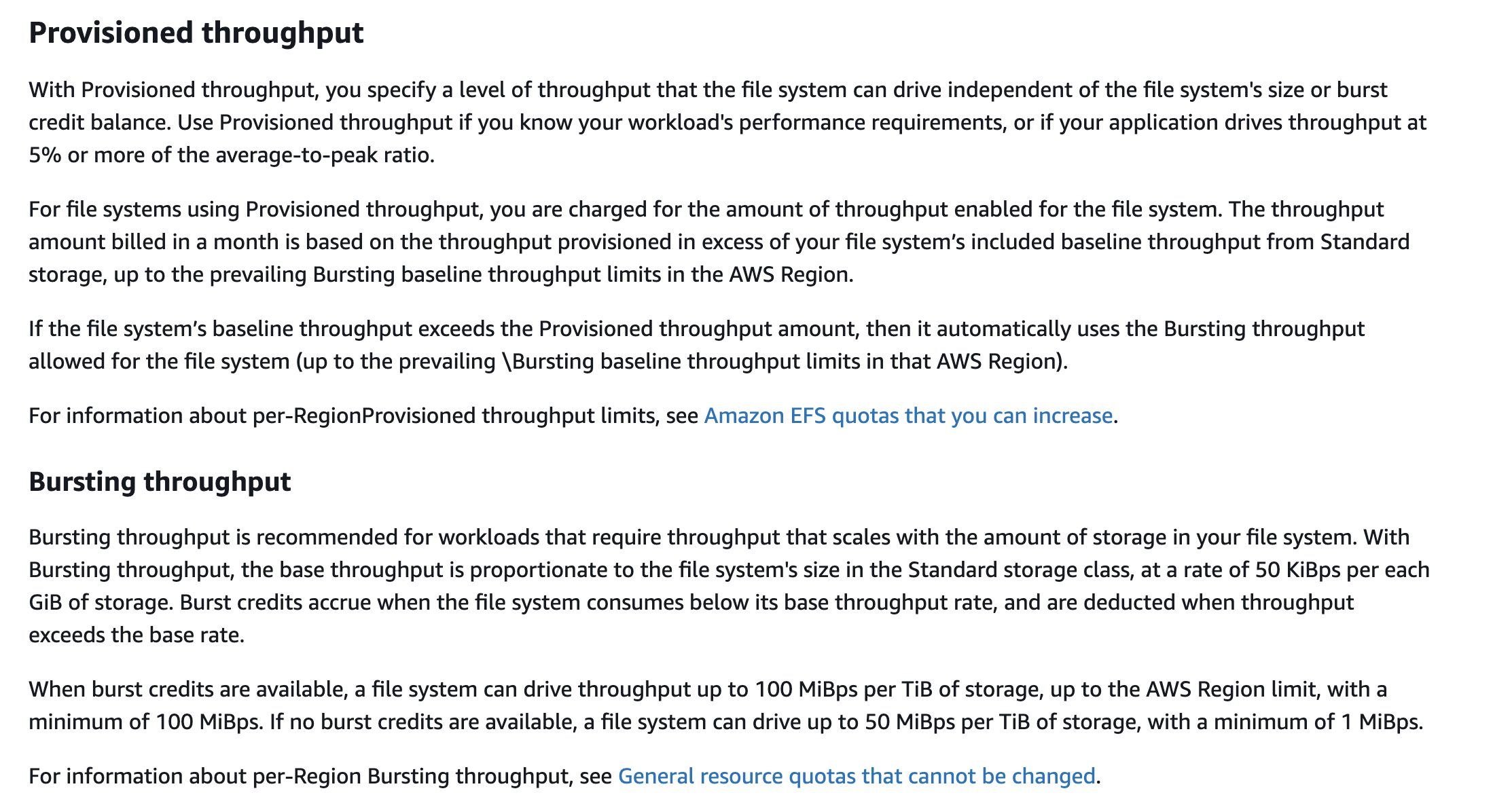
Provisioned Throughput mode is available for applications with high throughput-to-storage (MiB/s per TiB) ratios, or with requirements greater than those allowed by the Bursting Throughput mode. For example, say you're using Amazon EFS for development tools, web serving, or content management applications where the amount of data in your file system is low relative to throughput demands. Your file system can now get the high levels of throughput your applications require without having to pad your file system.
If your file system is in the Provisioned Throughput mode, you can increase the Provisioned Throughput of your file system as often as you want. You can decrease your file system throughput in Provisioned Throughput mode as long as it's been more than 24 hours since the last decrease. Additionally, you can change between Provisioned Throughput mode and the default Bursting Throughput mode as long as it’s been more than 24 hours since the last throughput mode change.
Incorrect options:
Use Amazon EFS with Bursting Throughput mode - With Bursting Throughput mode, a file system's throughput scales as the amount of data stored in the standard storage class grows. File-based workloads are typically spiky, driving high levels of throughput for short periods of time, and low levels of throughput the rest of the time. To accommodate this, Amazon EFS is designed to burst to high throughput levels for periods of time. By default, AWS recommends that you run your application in the Bursting Throughput mode. But, if you're planning to migrate large amounts of data into your file system, consider switching to Provisioned Throughput mode.
The use-case mentions that the solution should be optimized for high-frequency reading and writing even when the old outputs are archived, therefore Provisioned Throughput mode is a better fit as it guarantees high levels of throughput your applications require without having to pad your file system.
Use an Amazon EBS volume mounted to the Amazon ECS cluster instances - Amazon EFS has a higher throughput than Amazon EBS. In addition, Amazon EBS can be attached to multiple Amazon EC2 instances when the underlying EBS type is io1/io2 and the instance is of Nitro type. The use case does not provide any such details, so this option is ruled out.
Use Amazon DynamoDB table that is accessible by all ECS cluster instances - Amazon DynamoDB is not a fit for this scenario as each task output is 20 MB but the storage limit for each item in an Amazon DynamoDB table is 400 KB. You could write custom code to split the task output data into multiple items but it is not an optimal solution compared to using Amazon EFS in Provisioned Throughput mode.
References:
https://docs.aws.amazon.com/efs/latest/ug/performance.html
https://docs.aws.amazon.com/amazondynamodb/latest/developerguide/Limits.html#limits-items
Discussion
Think the marked answer is wrong, or have a better explanation? Share it below — comments appear after review.

