
AWS Certified Advanced Networking Specialty · Free Practice Question Medium
Question 8
A retail company has its corporate headquarters in New York with an on-premises data center using an AWS Direct Connect connection to the AWS VPC. The branch offices in San Francisco and Miami use Site-to-Site VPN connections to connect to the AWS VPC. The company is looking for a solution to have the branch offices send and receive data with each other as well as with their corporate headquarters.
As an AWS Certified Networking Specialist, which of the following options would you suggest to address the given requirements?
-
A
Set up VPC Peering between branch offices and corporate headquarters which will enable branch offices to send and receive data with each other as well as with their corporate headquarters
-
B
Set up VPN CloudHub between branch offices and corporate headquarters which will enable branch offices to send and receive data with each other as well as with their corporate headquarters
-
C
Configure VPC Endpoints between branch offices and corporate headquarters which will enable branch offices to send and receive data with each other as well as with their corporate headquarters
-
D
Configure Public Virtual Interfaces (VIFs) between branch offices and corporate headquarters which will enable branch offices to send and receive data with each other as well as with their corporate headquarters
Reveal correct answer
Correct answer: B
Explanation
Correct option:
Set up VPN CloudHub between branch offices and corporate headquarters which will enable branch offices to send and receive data with each other as well as with their corporate headquarters
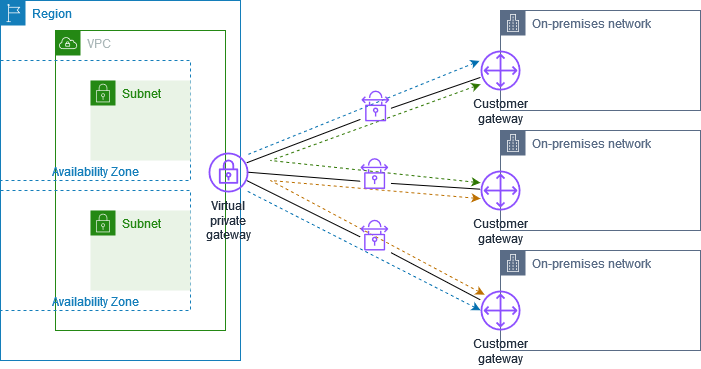
If you have multiple AWS Site-to-Site VPN connections, you can provide secure communication between sites using the AWS VPN CloudHub. This enables your remote sites to communicate with each other, and not just with the VPC. Sites that use AWS Direct Connect connections to the virtual private gateway can also be part of the AWS VPN CloudHub. The VPN CloudHub operates on a simple hub-and-spoke model that you can use with or without a VPC. This design is suitable if you have multiple branch offices and existing internet connections and would like to implement a convenient, potentially low-cost hub-and-spoke model for primary or backup connectivity between these remote offices.
Per the given use-case, the corporate headquarters has an AWS Direct Connect connection to the VPC and the branch offices have Site-to-Site VPN connections to the VPC. Therefore using the AWS VPN CloudHub, branch offices can send and receive data with each other as well as with their corporate headquarters.
VPN CloudHub:
Incorrect options:
Configure VPC Endpoints between branch offices and corporate headquarters which will enable branch offices to send and receive data with each other as well as with their corporate headquarters - A VPC endpoint enables you to privately connect your VPC to supported AWS services and VPC endpoint services powered by AWS PrivateLink without requiring an internet gateway, NAT device, VPN connection, or AWS Direct Connect connection. Instances in your VPC do not require public IP addresses to communicate with resources in the service. AWS PrivateLink simplifies the security of data shared with cloud-based applications by eliminating the exposure of data to the public Internet.
When you use the VPC endpoint, the traffic between your VPC and the other AWS service does not leave the Amazon network, therefore this option cannot be used to send and receive data between the remote branch offices of the company.
Set up VPC Peering between branch offices and corporate headquarters which will enable branch offices to send and receive data with each other as well as with their corporate headquarters - A VPC peering connection is a networking connection between two VPCs that enables you to route traffic between them using private IPv4 addresses or IPv6 addresses. Instances in either VPC can communicate with each other as if they are within the same network.
VPC peering facilitates a connection between two VPCs within the AWS network, therefore this option cannot be used to send and receive data between the remote branch offices of the company.
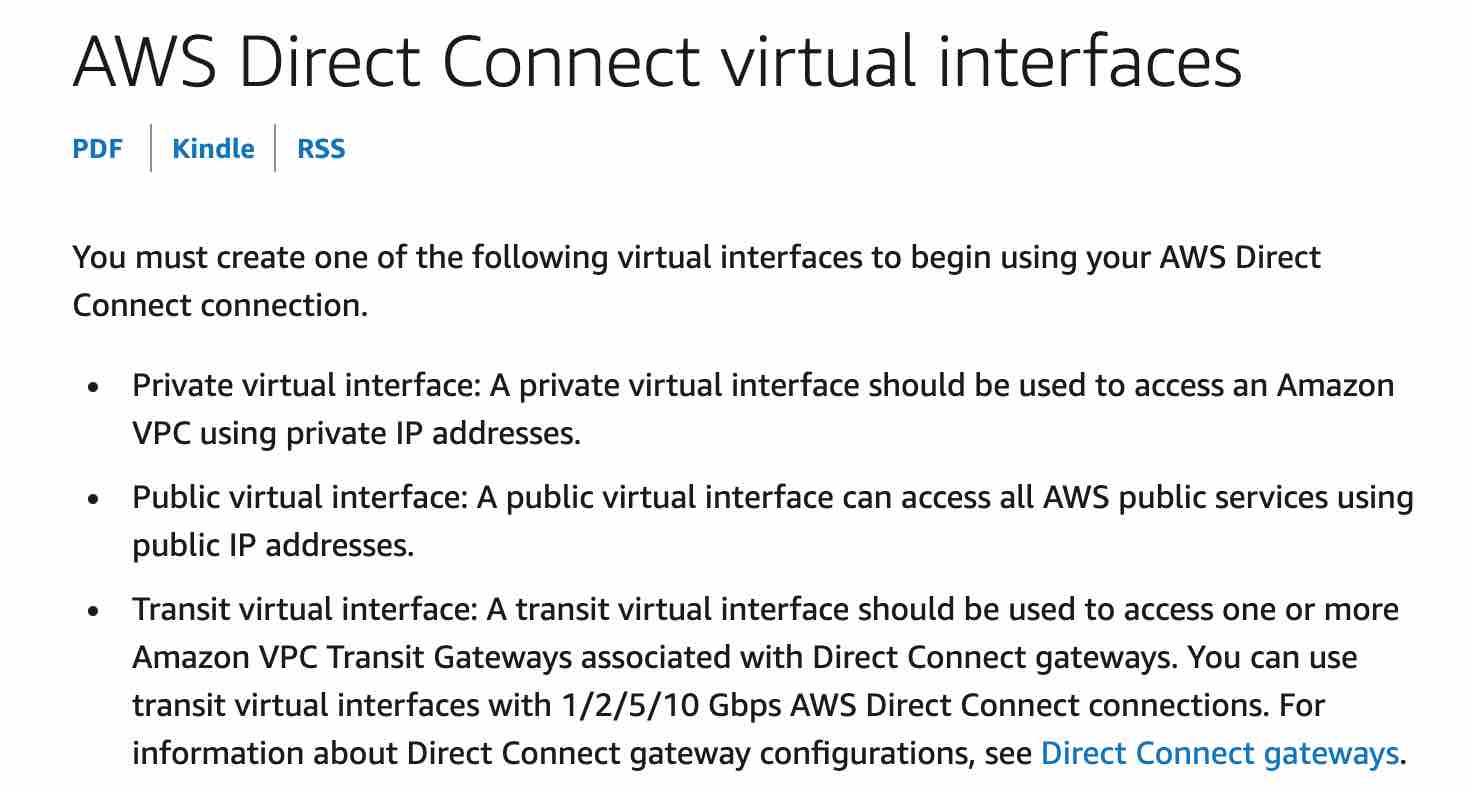
Configure Public Virtual Interfaces (VIFs) between branch offices and corporate headquarters which will enable branch offices to send and receive data with each other as well as with their corporate headquarters - AWS Direct Connect (DX) provides three types of virtual interfaces: public, private, and transit. To connect to AWS resources that are reachable by a public IP address (such as an Amazon Simple Storage Service bucket) or AWS public endpoints, use a public virtual interface. Therefore this option cannot be used to send and receive data between the remote branch offices of the company.
References:
https://docs.aws.amazon.com/vpn/latest/s2svpn/VPN_CloudHub.html
https://docs.aws.amazon.com/directconnect/latest/UserGuide/WorkingWithVirtualInterfaces.html
Discussion
Think the marked answer is wrong, or have a better explanation? Share it below — comments appear after review.

